Hard days cost you deep sleep
Deep sleep was 18% lower after days above 100% strain.
Try this: after a big training day, get to bed 30 minutes earlier.
 Noctis
Coming soon
Noctis
Coming soon
Sleep, recovery & training coach for iPhone and Apple Watch
Noctis turns the health data your Apple Watch already collects into clear, personal guidance on sleep, recovery and training. It wakes you at the right moment and tells you what to do with your day.
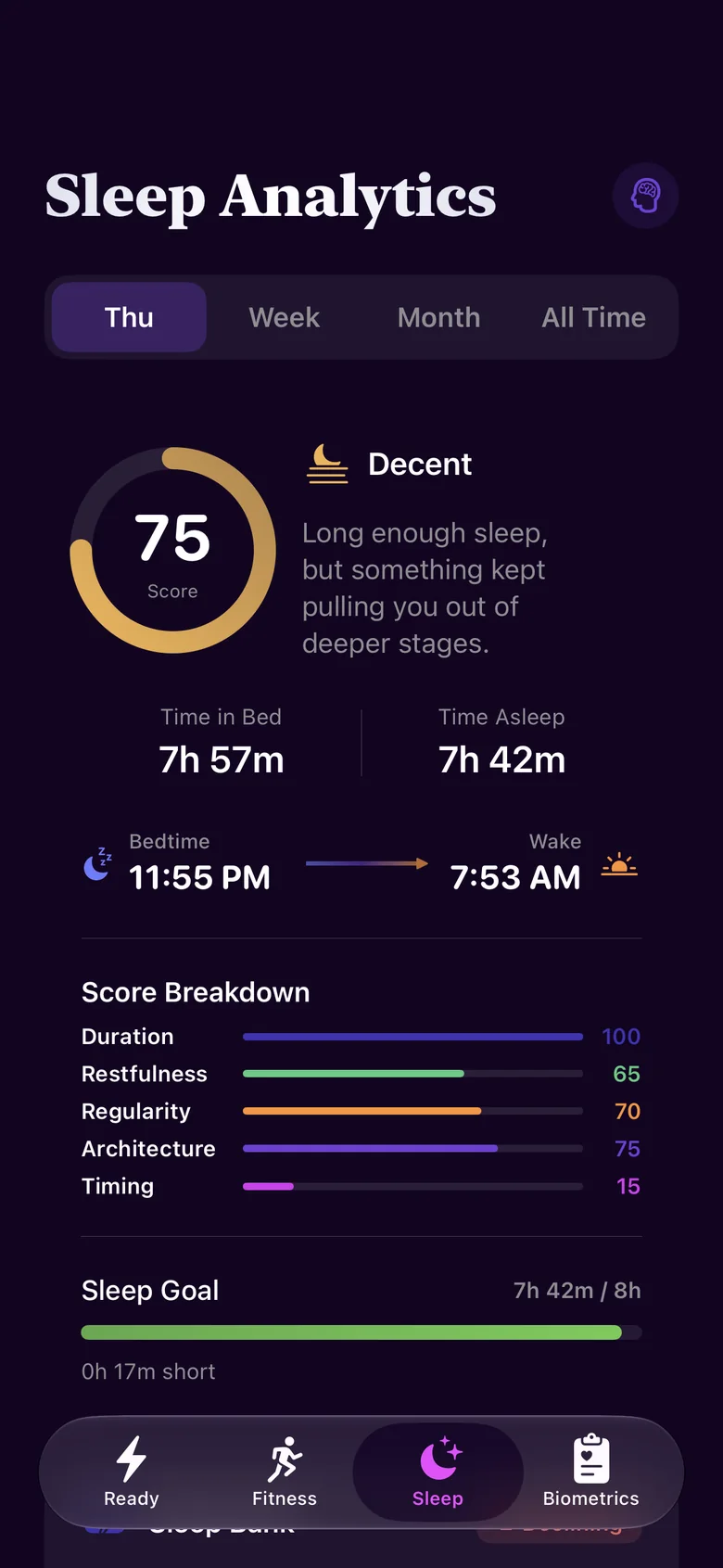
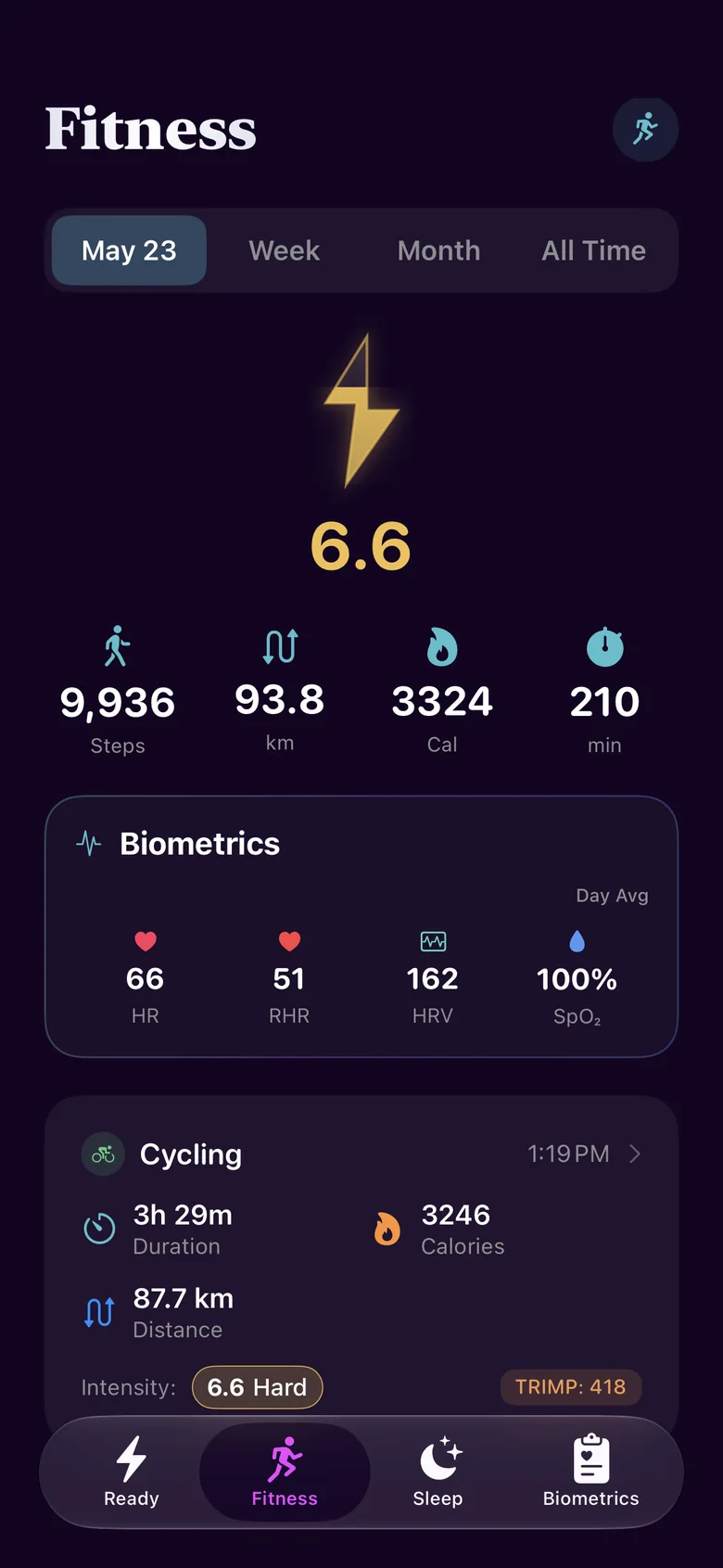
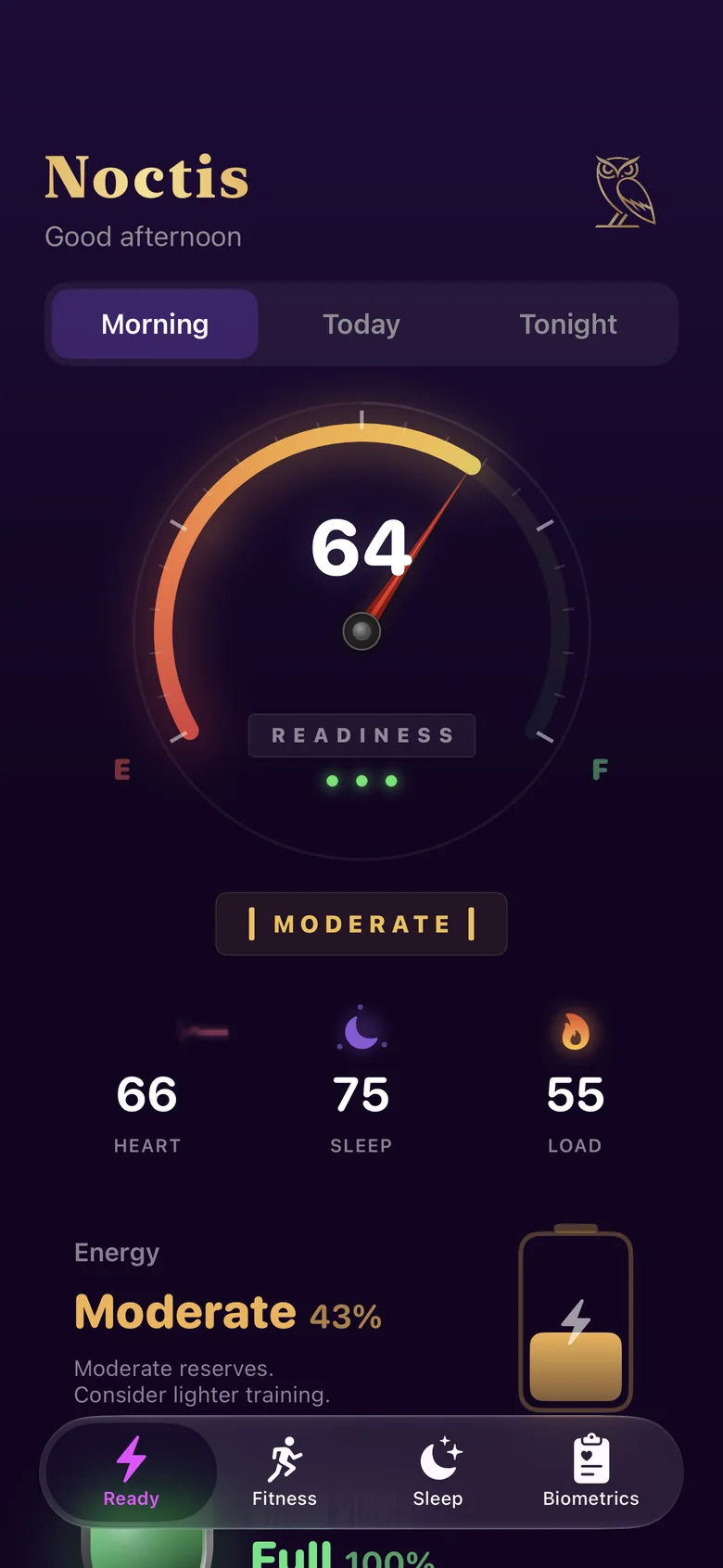
Apple Watch records heart rate, HRV, blood oxygen, temperature, workouts and sleep, every day. Apple's own apps mostly show you the numbers and stop there. They don't tie it together or tell you what to do next.
Option 1
A band or ring means another device to buy, charge and wear, usually with a monthly fee on top.
Option 2
Apps that chart every number your Apple Watch records, and still leave you asking, "Should I train hard today?"
Option 3
It turns your Apple Watch into a sleep and recovery coach, with a plan for tonight and for today.
Why the name
noctis
of the night
We named it Noctis because high-quality sleep is the foundation of good health. A shorter night of deep, well-timed sleep can do more for you than a long, broken one.
Everything else builds on that. Good sleep powers recovery, and recovery is what lets exercise and training make you fitter. So Noctis starts with your night and works up from there.
Tonight
Most sleep apps only look back at last night. The Tonight view looks ahead. A sky arc maps sunset, your bedtime and your wake time, and counts down to lights out.
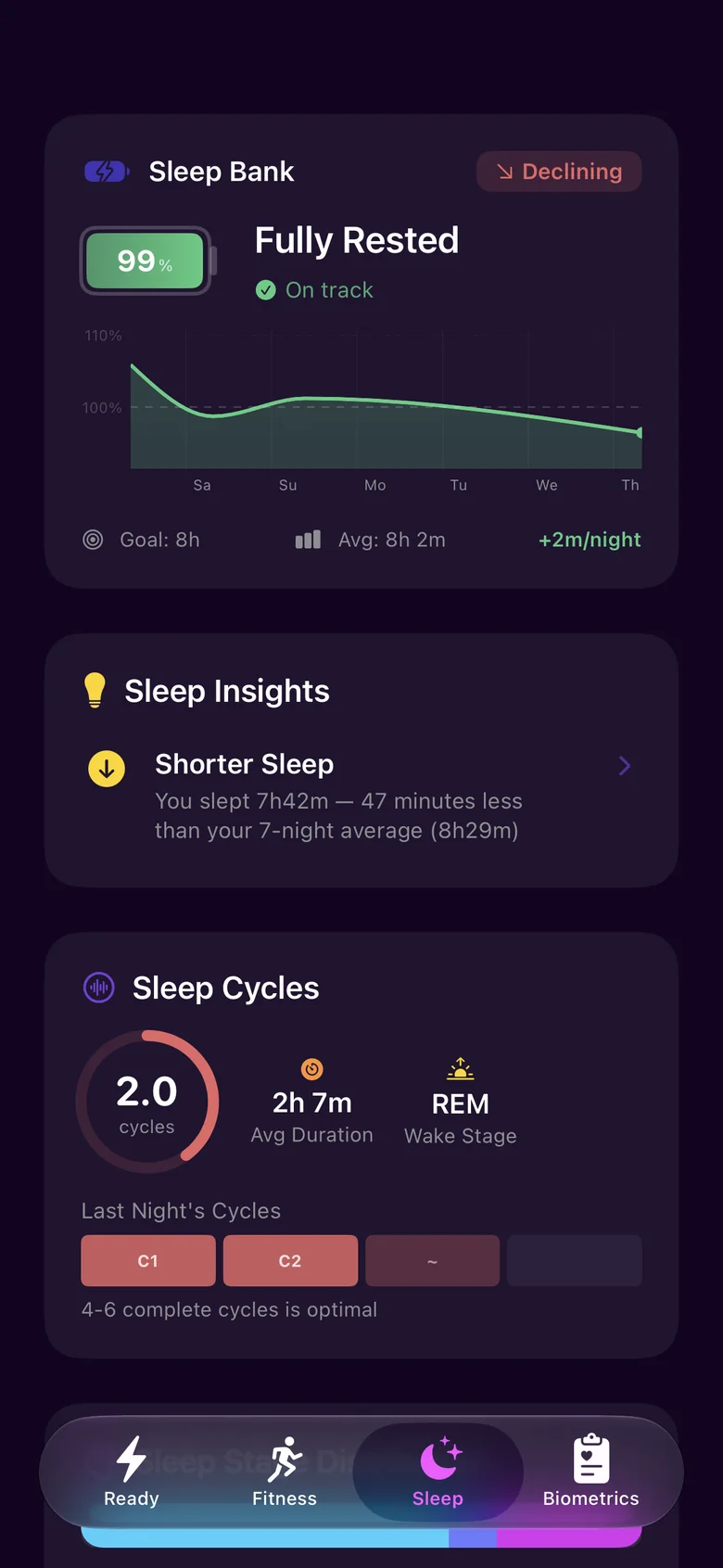
Sleep Bank keeps a running balance of sleep debt or surplus against that need, so tonight's target takes the rest of your week into account.
Naps count. Noctis detects your naps and credits them to your Sleep Bank. Most trackers ignore them.

Overnight
While you sleep, your Apple Watch records the signals that say the most about recovery. Noctis tracks each one against your personal normal range, shows the trend, and explains changes in plain English. Open any signal to see how it works.
The tiny, constantly changing gaps between your heartbeats. A healthy heart doesn't tick like a metronome, and how much it varies says a lot about how your nervous system is coping. Apple Watch measures it at regular points through the day and night.
Higher than your normal usually means you've recovered well. A drop below it often follows hard training, short or broken sleep, alcohol, travel or a stressful stretch.
How fast your heart beats when you're fully at rest. Apple Watch estimates it from readings taken while you're still.
For most people it's fairly steady from day to day. When it creeps up over a few days, you're often carrying fatigue, stress or poor sleep.
How far your heart rate falls while you sleep, compared with your daytime average. In good, deep sleep your heart settles well below its daytime level.
A smaller dip than usual can follow a late meal, alcohol, a hard late workout or a stressful evening.
The percentage of oxygen your red blood cells are carrying. Apple Watch takes background readings, including while you sleep, on models and in regions where the feature is available.
Readings usually sit in a narrow band. Altitude, a cold or a loose band can nudge them.
How many breaths you take per minute while you sleep. Apple Watch measures it overnight from tiny movements at your wrist.
It's one of the steadiest numbers your body produces, so even a small rise above your normal is worth noticing. Heavy training, alcohol or a stuffy room can all push it up.
Overnight changes in your skin temperature, compared with your own baseline. Newer Apple Watch models record it while you sleep, and need about five nights to set that baseline.
It moves with your body's natural rhythms, and can rise after alcohol, a late meal, a warm room or travel.
An estimate of how much oxygen your body can use during hard exercise, and a widely used measure of cardio fitness. Apple calls it Cardio Fitness and estimates it during outdoor walks, runs and hikes.
It changes slowly, over weeks and months, as your training builds up or drops off.
Your weight and body fat percentage from Apple Health. Add them by hand in the Health app, or automatically with a connected smart scale.
Daily weight bounces around with water, food and salt, so the trend over weeks matters more than any single morning.
Smart Alarm
Set a wake window. Inside it, Noctis waits for light sleep and wakes you with a gentle tap on your wrist, so you get up feeling rested instead of groggy.
Illustration of a typical night. Apple Watch detects your sleep stages; Noctis decides when to wake you.
Sleep Score
Every morning you get a Sleep Score from 0 to 100, built from five weighted parts. Each has its own score and detail screen, so you can see what helped and what cost you.


Readiness
Readiness is a daily score from 0 to 100, built from your sleep, HRV, resting heart rate and recent training load.
Coach Noctis turns that score into a plan for the day: what kind of workout, how long, or whether to take it easy. Every insight comes with something to do. Switch between the three kinds of day to see how the plan changes.
MODERATE
Coach Noctis
Moderate reserves. Stay aerobic and save the hard efforts for a fresher day.
Example scores. Coach Noctis builds each day's plan from your own data.
Coach Noctis
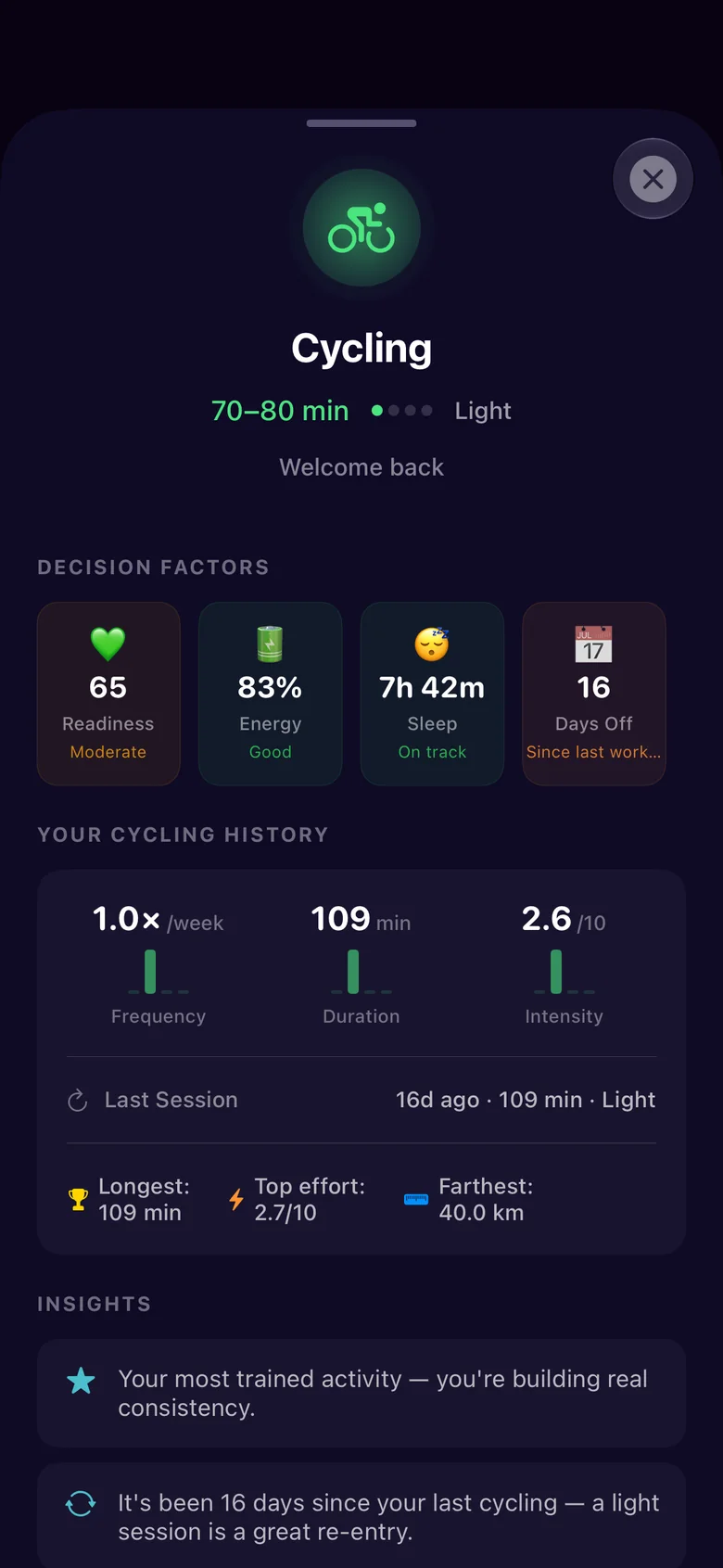
Coach Noctis picks the session, how long and how hard, and shows what it based that on.
Each suggestion lists its decision factors: your Readiness, Energy Bank, last night's sleep and the days since your last workout. It also checks your history for that activity, so after 16 days off it eases you back in with a light ride.
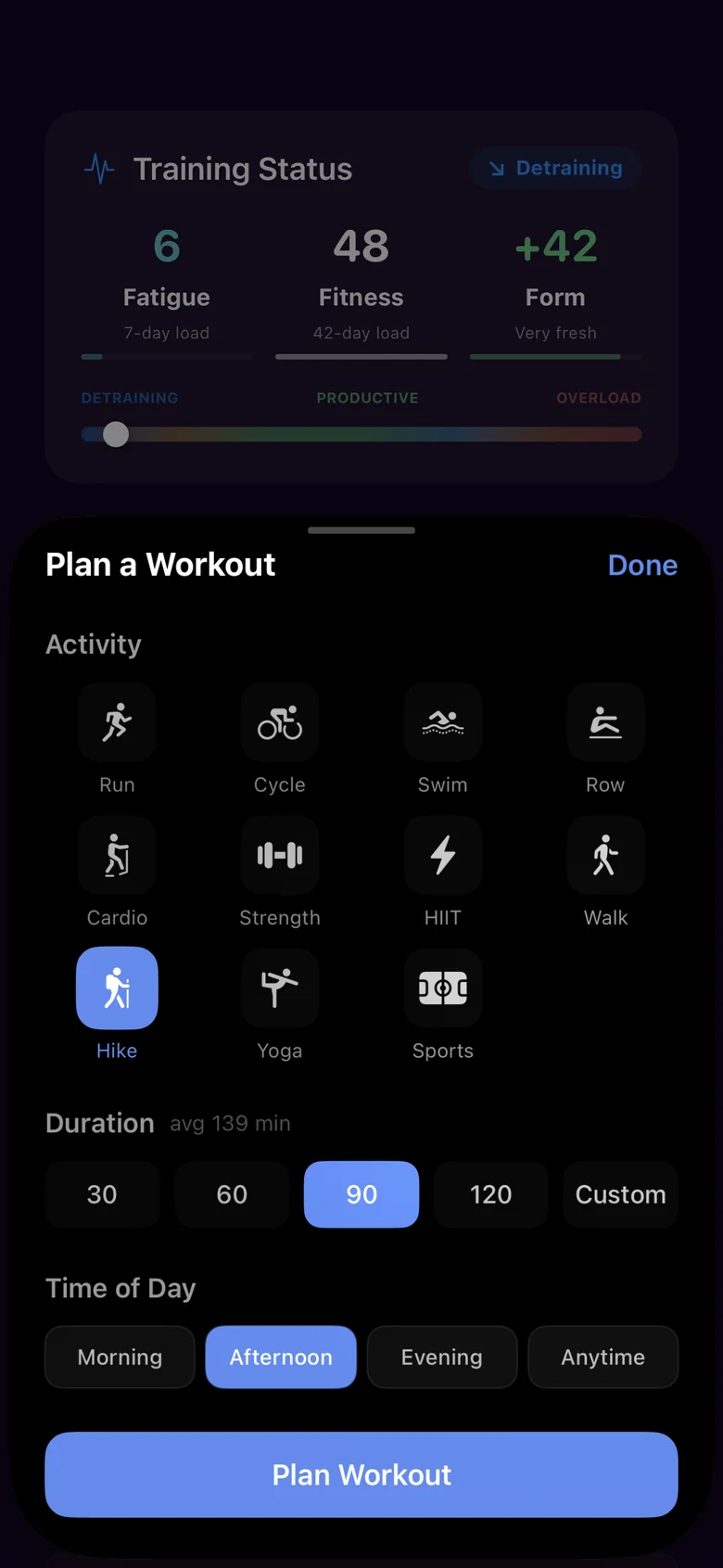
Pick from 11 activities, from runs and rides to strength, yoga and hikes, then choose how long and when. Noctis shows your usual length for that activity as you plan.
All dayEnergy, stress & intensity
Energy Bank, Stress Shield and your day's intensity follow along as it happens. Here's an example Saturday with a long ride, from wake-up to lights out.
After every workoutTraining
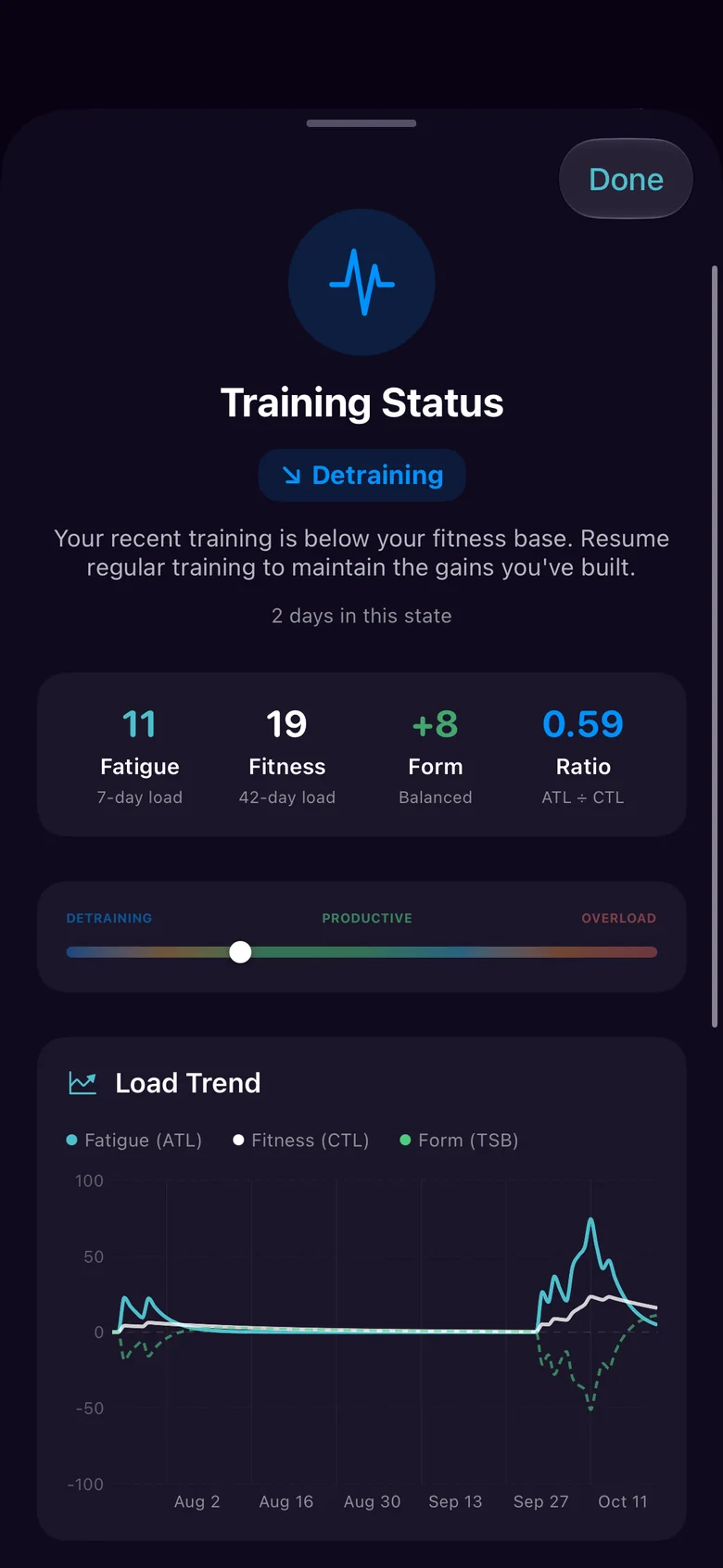
Noctis follows every workout and your training load over weeks, so you build fitness without running yourself down.
Workouts sync automatically from Apple Watch. Each one gets an intensity from 0 to 10 and a training load score (TRIMP), and is compared with your usual for that activity. That Saturday ride was a Hard 6.6, with more than three times the usual ride's duration and distance.
Your last 7 days of load (fatigue) against your last 42 (fitness) give you your form. Noctis tells you whether you're detraining, productive or heading for overload, and warns you before you overtrain.

Every weekInsights
Noctis looks at your sleep, training, stress and vitals together, finds the patterns that are specific to you, and tells you what to do about them.
Deep sleep was 18% lower after days above 100% strain.
Try this: after a big training day, get to bed 30 minutes earlier.
Your Sleep Score averages 7 points lower when you train after 8 PM.
Try this: finish hard sessions by 7 PM when you can.
Energy Bank is 9 points higher at 5 PM on days you nap.
Try this: keep naps under 30 minutes, and before 3 PM.
Example insights. Noctis finds the patterns in your own data.
Sleep Personality
Noctis turns your sleep timing into an animated personality card you can share, built from your own patterns.
It's the same spirit as the rest of the app: a night-sky look, an owl keeping watch, and numbers that feel like yours.

My sleep personality
Late to bed, late to rise, and sharpest after dark.
Noctis
Example profiles.
Private by design
Noctis reads the Apple Health data you choose to share, works everything out on your iPhone and Apple Watch, and keeps it there. We never see it.
Scores, insights and coaching are calculated on your iPhone and Apple Watch.
No analytics, no ads and no third-party tracking code.
Pick exactly which Health data Noctis can use, and change it any time in Settings.
We don't sell or share your data. We never receive it in the first place.
Something else on your mind? Email support@noctis.health.
Noctis is coming soon to the App Store for iPhone and Apple Watch. This page will link to it as soon as it's live.
An iPhone running iOS 17 or later and an Apple Watch running watchOS 10 or later. You don't need a band, ring or any other hardware.
Yes. Sleep tracking and the Smart Alarm both work from your Apple Watch, so wear it overnight with enough charge to last until morning.
Noctis works with any Apple Watch that runs watchOS 10 or later. Some measurements, like blood oxygen and wrist temperature, are only recorded by certain models and in certain regions. Noctis uses whatever your Apple Watch records.
Your Apple Watch detects your sleep stages. Noctis interprets them: it scores your night, compares it with your own history and turns it into guidance. Like any wearable, the stages are estimates, not lab measurements.
Workouts you record on Apple Watch sync automatically, from runs and rides to swims, strength sessions and yoga. You can also plan workouts in the app, and Coach Noctis suggests what to do each day.
Yes. Noctis detects naps and credits them to your Sleep Bank and Energy Bank.
It stays on your devices. Noctis processes your health data on your iPhone and Apple Watch, there are no analytics or tracking tools in the app, and your data isn't sent to us or anyone else. If you back up your iPhone to iCloud or a computer, that backup includes it, under your own Apple Account. The privacy policy has the details.
No. Noctis gives general wellness insights and guidance. It doesn't diagnose, treat or prevent any condition. If you have concerns about your health or sleep, talk to a doctor.
We'll share pricing when Noctis launches.

Tonight, again
Questions before launch? Write to support@noctis.health.